Web Sockets
Websocket Connection
Websocket is a communication protocol, that creates full-duplex communication channels between a server and a client. As the connection stays open, the client does not request/poll data but the server pushes it. This makes the continued sending of data more efficient.
Settings
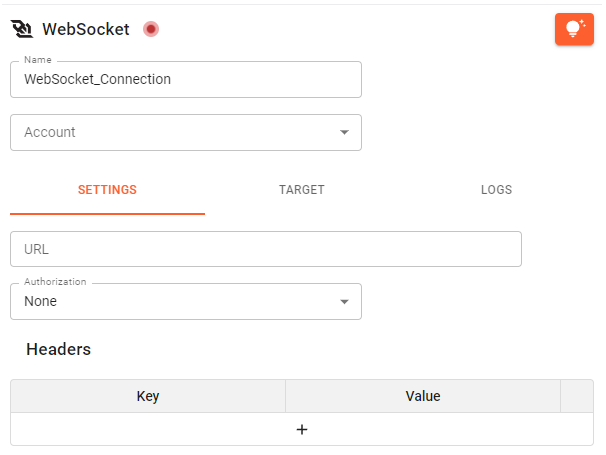
URL: The URL to a web socket.
Authorization:There are different possible authorization methods. Depending on the connection a different approach was chosen. Supported authorization methods are: “Basic Auth”, “Bearer Token” and “API keys”.
Headers: If authorization is chosen, the necessary header are automatically set. If needed, add extra headers to your connection in the header table.
Target
Use the Target to direct the opened connection to an Inbox.
Logs
The Logs inform about the latest feedback of your endpoint. This can be successful or unsuccessful connection attempts. If you have trouble connecting, here is a good place to search for a reason.
Websocket Functions
Since the querying of data is done via the target of a Websocket connection, the only needed function is WEBSOCKET.SEND(). As all stream functions, WEBSOCKET.SEND() bases on a created connection, which is always the first parameter. Use the function to send a payload to the endpoint of the Websocket connection. A new message will be published every time the function is triggered.